


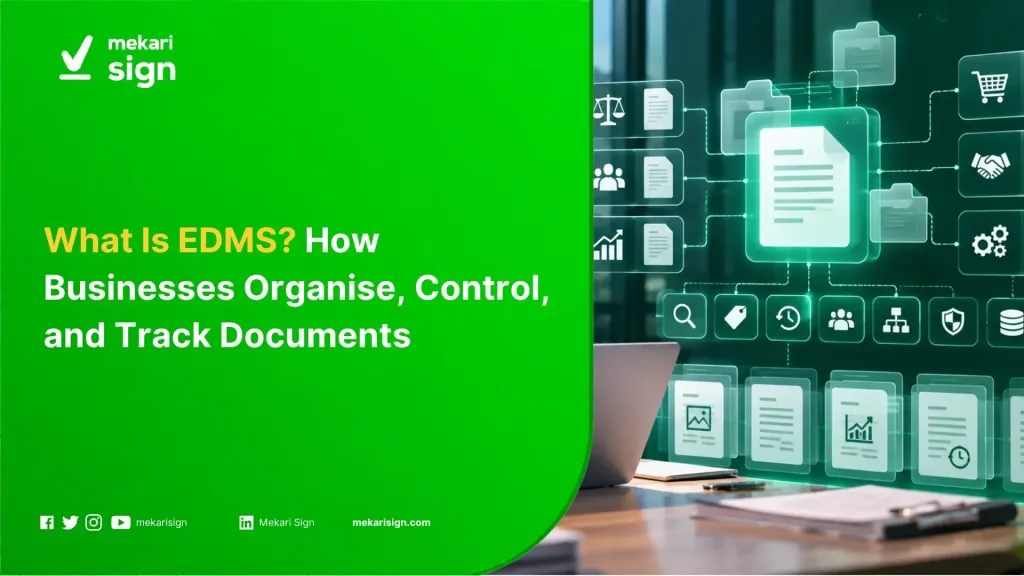
- EDMS stands for Electronic Document Management System, a system used to store, organise, find, access, and track electronic documents.
- An EDMS can support document activities such as search, metadata, version control, access management, workflow, audit trails, and archiving.
- Businesses can use EDMS across functions such as Legal, HR, Finance, Procurement, Sales, and Operations.
- For Singapore businesses, document management also needs to consider data protection, access controls, retention, and electronic transaction requirements.
- Mekari Sign connects document management with approval, contract management, and electronic signing workflows.
Business documents often move between different people, teams, and systems before they are completed. A contract may start with Procurement, go through Legal review, require management approval, and end with an authorised signatory. Once completed, the same document may still need to be accessed, tracked, or retained.
As document volumes grow, keeping files in separate folders, email threads, and storage platforms can make it harder to find the right version or understand what happened to a document. An Electronic Document Management System (EDMS) provides a structured environment for managing documents throughout these activities.
This guide explains what EDMS means, how an EDMS works, its key features and types, and how businesses in Singapore can use document management to support everyday business processes.
What Is EDMS?
EDMS stands for Electronic Document Management System. It is software that helps an organisation store, organise, search, access, manage, and track electronic documents in a structured environment.
Business documents rarely stay in one place. A contract might begin as an attachment in email, move to a shared folder for review, and end up in another location after signing. As the number of documents and people involved grows, teams can spend time finding the right file, checking its version, or confirming who has access.
An EDMS brings these activities into a managed document environment. Depending on the platform, it can combine centralised storage with metadata, search, version control, access permissions, workflow, audit trails, and archiving.
The scope varies by system. Some platforms focus on document storage, retrieval, and control, while others connect document management with approval, contract management, and electronic signing. The capabilities matter more than the label used for the software.
How Does an EDMS Work?
An EDMS can support a document through several stages of its working lifecycle:
Capture → Organise → Store → Review → Approve → Sign → Track → Archive
Not every EDMS handles all of these stages. A basic document management system may stop at storage, search, versioning, and access control. A broader platform can connect the document with review, approval, signing, and post-signing activities.
Consider a supplier agreement. A Procurement team can upload the document, add information such as supplier name and contract type, and send it through an approval workflow. After approval, the agreement can move to electronic signing where appropriate. The completed document can then remain associated with its document record, status, and activity history.
This structure gives teams a clearer view of both the document and the process around it.
Read more: Contract Management Guide
What Are the Key Features of an EDMS?
| Feature | What it does |
|---|---|
| Centralised document storage | Keeps business documents in an established digital repository. |
| Search | Helps users find documents using keywords, metadata, or other document information. |
| Metadata | Adds information such as document type, owner, date, status, or reference number. |
| Version control | Records document revisions and helps users identify the current version. |
| Access control | Limits document access according to users, teams, roles, or permissions. |
| Workflow management | Routes documents through defined review or approval steps. |
| Audit trail | Records activities associated with a document, where supported. |
| Sharing | Allows documents to be shared with authorised internal or external users. |
| Archiving | Keeps documents available according to the organisation’s retention and records requirements. |
| Integration | Connects document processes with other business systems where needed. |
The feature set can differ significantly between products. When comparing EDMS capabilities, look at the actual document processes the organisation needs to control rather than assuming every system provides the same functions.
What Are the Benefits of an EDMS?
Faster document retrieval
A structured repository and search function give employees a clearer place to find business documents. Metadata can make retrieval easier when users need to search by attributes such as document type, owner, status, or date.
Better version control
Documents often go through multiple revisions before approval or signing. Version history helps teams distinguish the current document from previous changes and reduces confusion when several people work on the same file.
Controlled access to sensitive documents
Contracts, employee records, financial documents, and customer information may require different access rules. Permission controls can limit who can view or manage each document.
Clearer document activity
Audit trails and activity records can give teams a history of actions associated with a document. The detail available depends on the EDMS and the type of activity being recorded.
More structured review and approval
When document review depends on email follow-ups, it can be difficult to see who needs to act next. Workflow features can give the document a defined route and make its status easier to follow.
More consistent document retention
A managed repository can support internal retention rules by keeping documents classified and accessible according to the organisation’s requirements.
What Types of EDMS Are There?
There is no single industry-wide taxonomy for EDMS. In practice, businesses can classify document management systems by the type of documents and workflows they need to control.
| EDMS type | Typical use |
|---|---|
| General business EDMS | Contracts, policies, reports, forms, and business records. |
| Legal document management | Agreements, NDAs, legal correspondence, and supporting records. |
| HR document management | Employment records, onboarding documents, and HR forms. |
| Finance document management | Invoices, financial reports, and supporting documents. |
| Procurement document management | Supplier agreements, quotations, purchase documents, and sourcing records. |
| Engineering document management | Drawings, specifications, revisions, and project documentation. |
| Records management | Documents that need controlled retention, classification, access, or disposal. |
The term EDMS can therefore mean different things in different industries. In engineering and project environments, it can also refer to an Engineering Document Management System. In the broader business software context, EDMS usually means Electronic Document Management System.
What Documents Can an EDMS Manage?
An EDMS can manage many types of electronic business documents, depending on how the organisation structures its repository and workflows.
| Business function | Example documents |
|---|---|
| Legal | Contracts, NDAs, agreements, and legal correspondence. |
| Human Resources | Employment contracts, onboarding documents, and HR forms. |
| Finance | Invoices, financial reports, and supporting records. |
| Procurement | Supplier agreements, quotations, purchase documents, and sourcing records. |
| Sales | Proposals, customer agreements, and sales documents. |
| Operations | Standard operating procedures, reports, and internal forms. |
| Compliance | Policies, audit records, and regulatory documents. |
EDMS vs DMS vs ECM: What Is the Difference?
EDMS and DMS are often used interchangeably. Both terms can describe software that stores, organises, retrieves, secures, and manages digital documents. EDMS makes the electronic nature of the document environment explicit, while DMS is often used as the broader category.
| EDMS | DMS | ECM | |
|---|---|---|---|
| Primary scope | Electronic document management | Document management | Broader enterprise content and information management |
| Document storage | Yes | Yes | Yes |
| Search and metadata | Common | Common | Common |
| Version control | Common | Common | Common |
| Workflow | Often available | Often available | Common |
| Broader content types | Document-focused | Document-focused | Can extend beyond documents |
There is no universal naming rule across software vendors, so the product’s scope and capabilities matter more than the acronym.
Is EDMS the Same as Cloud Storage?
No. Cloud storage mainly provides a place to save and access files online. An EDMS adds controls and processes for managing those documents.
A shared cloud folder might contain several versions of a supplier agreement. An EDMS can attach document metadata, access permissions, version history, workflow status, or audit information to the document, depending on the platform.
Cloud storage can be part of an EDMS architecture, but storage alone does not provide all of the document management functions associated with an EDMS.
Why Does EDMS Matter for Singapore Businesses?
Singapore businesses are operating in an environment where digital tools are already widely used. IMDA reported that 95.1% of SMEs adopted at least one digital area in 2024, while 97% adopted at least one sector-specific digital solution.
As more business processes become digital, documents move between teams, applications, suppliers, customers, and other external parties. Document management therefore involves more than storage. Businesses also need to know who can access information, which version is current, what actions have taken place, and how documents should be retained.
In this environment, an EDMS can give document-heavy processes a defined place and set of controls within the wider digital workflow.
How Do the PDPA and ETA Relate to EDMS?
Personal data and document management
Documents can contain personal data about employees, customers, vendors, directors, and other individuals. The Personal Data Protection Commission (PDPC) sets out obligations under the PDPA that include protection, access and correction, retention limitation, transfer limitation, and data breach notification.
An EDMS can support operational controls through features such as permissions, classification, access records, and retention processes where those capabilities are available. The organisation remains responsible for deciding what information it should retain, who should access it, and how the relevant PDPA obligations apply.
Electronic records and signatures
Singapore’s Electronic Transactions Act 2010 (ETA) provides a legal framework for electronic records, electronic signatures, and electronic contracts. The current Act includes provisions on legal recognition, writing, signatures, retention, contract formation, secure electronic records and signatures, and specified exclusions.
This becomes relevant when a document moves beyond storage into approval or electronic signing. Businesses should assess the type of transaction and any applicable exclusions or requirements before choosing how a document should be executed electronically.
For a closer look at certificate-based signing and its role in Singapore, see what is a digital signature.
How Does Mekari Sign Support Document Management?
Mekari Sign brings document management together with the workflows that happen around a document, including approval, electronic signing, and contract management. In the Documents area, users can access document information, metadata, activity history, and audit trail details, while approval workflows help route documents and internal requests to the appropriate people.
The workflow can continue after signing. In the Contracts area, teams can monitor contract status, including active, expiring, and expired contracts, keeping the executed document connected to the information needed for follow-up. For recurring processes, contract management automation can also help structure repeatable steps such as review, approval, signing, and tracking.
This makes Mekari Sign useful when document management needs to connect with the business processes built around each document. Teams can manage the document and the steps that follow it within the same digital platform, rather than handling approval, signing, and contract tracking as separate activities.
Manage Documents as Part of the Business Process
Business documents often move through several stages before and after they are completed. A contract, for example, may start with a request from Procurement, go through Legal review and management approval, reach an authorised signatory, and then need to be monitored until renewal or expiry.
An EDMS gives businesses a structured way to manage documents across these activities, from storing and finding files to controlling access and tracking document history. When document management is connected with approval, electronic signing, and contract tracking, the document remains part of the workflow instead of becoming a static file after it is stored.
For businesses in Singapore, Mekari Sign brings these document workflows together with document management, approval, contract management, and electronic signing capabilities in one platform.
References