





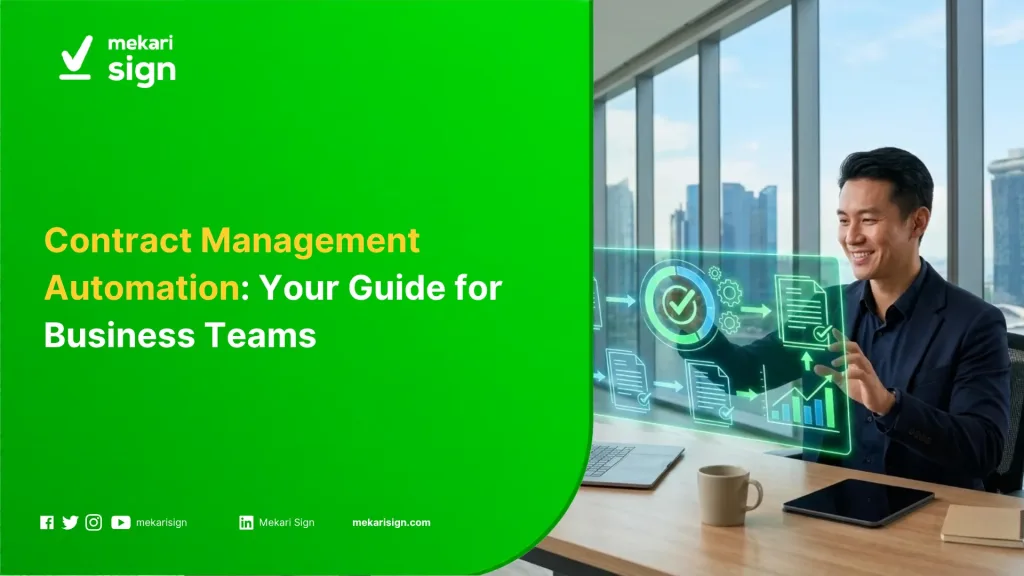
- Contract management automation uses templates, rules, and digital workflows to handle repeatable contract tasks with less manual coordination.
- Businesses can automate contract requests, template-based drafting, approval routing, electronic signing, document filing, and renewal reminders.
- The strongest candidates for automation are repetitive and rule-based. Negotiation, legal interpretation, and decisions involving contractual risk still require human judgement.
- For Singapore businesses, electronic contracts and signatures operate within the Electronic Transactions Act, which also contains provisions relevant to automated message systems.
- Businesses can connect contract workflows with electronic signing through Mekari Sign Singapore when the transaction and signing method are appropriate.
For a business operating in Singapore, a contract can move through several teams before it is ready to sign. Procurement may request a supplier agreement, Legal may review the terms, Finance may check commercial details, and an authorised person may approve the final version.
The work continues after signing. Teams may still need to track the contract’s effective date, renewal window, notice period, payment terms, and other obligations.
When these steps depend on email threads, spreadsheets, and manual reminders, routine contracts can require more coordination than expected. Contract management automation uses defined workflows to handle repeatable steps while keeping decisions with the people responsible for them.
What Is Contract Management Automation?
Contract management automation is the use of digital workflows, predefined rules, templates, and automated actions to handle repeatable activities across the contract lifecycle.
For example, a business can collect the information needed for a contract, generate the agreement from an approved template, route it to the right reviewers, send it for approval and signing, then trigger a reminder before the contract reaches its renewal window.
Contract management covers the broader process of managing an agreement. Automation covers the parts of that process that can follow defined rules without someone manually moving every task forward.
Which Parts of Contract Management Can Be Automated?
The best candidates usually have three characteristics: they happen frequently, follow a predictable process, and rely on information that can be captured in structured fields.
| Contract task | Automation fit | What can be automated |
|---|---|---|
| Contract request | High | Collect required information and assign the next step |
| Template-based drafting | High | Populate approved templates with transaction details |
| Approval routing | High | Send agreements to the required approvers based on defined rules |
| Electronic signing | High | Send approved agreements to the relevant signers |
| Document filing | High | Store executed agreements with the relevant contract record |
| Renewal reminders | High | Trigger notifications based on contract dates |
| Clause extraction | Medium | Identify information for a person to review |
| Version comparison | Medium | Highlight differences between contract versions |
| Contract negotiation | Low | Requires commercial context and interaction with the other party |
| Legal interpretation | Low | Depends on the contract, facts, and applicable law |
A recurring supplier agreement is a practical starting point. The request, template, approval, signing, and renewal steps may repeat across many agreements, while the decision to accept pricing or contractual terms remains with Procurement and the relevant business stakeholders.
How Does Contract Management Automation Work?
A typical workflow connects the stages that already exist in the business process. Automation determines where the document goes next, while people handle the decisions that cannot be reduced to a fixed rule.
1. Submit a Contract Request
The requester provides information such as the contract type, counterparty, business unit, dates, and commercial details.
Using required fields at this stage can reduce repeated emails for missing information later in the process.
2. Generate the Agreement
Recurring agreements can start from an approved template. Standard information such as names, dates, pricing, and service details can be inserted into the relevant fields.
Heavily negotiated agreements may need more manual drafting and review before they can follow a standard workflow.
3. Route for Review
The workflow sends the document to the people responsible for reviewing it. The path may change depending on the contract type, business unit, value, or risk level.
A supplier contract may involve Procurement and Legal, while an employment agreement may follow an HR-specific review path.
4. Complete the Required Approvals
Approval rules determine who needs to approve the document and when. The workflow can keep the status visible until all required approvals are complete.
This removes the need to manually check several inboxes to find out whether a contract is ready for signing.
5. Send the Approved Agreement for Signing
After approval, the agreement can move to electronic signing where the transaction permits it.
Singapore’s Electronic Transactions Act provides the legal framework for electronic records, signatures, and contracts. IMDA also states that almost all agreements commonly used in business functions such as sales, procurement and sourcing, human resources, and finance and accounts can be signed electronically, subject to the relevant requirements and exclusions. IMDA’s guide to electronic signature solutions explains the factors businesses should consider when selecting an electronic signing method.
6. Store the Executed Contract
Once the agreement is signed, the executed version should be easy to identify and retrieve. The contract record can include information such as the contract owner, effective date, expiry date, and related documents.
7. Monitor Renewal and Other Dates
Automation can trigger reminders before renewal dates, notice periods, or other milestones.
The reminder gives the contract owner time to review the agreement and decide whether to renew, renegotiate, amend, or terminate it.
What Does Contract Automation Look Like in Practice?
Consider a supplier agreement for a Singapore-based company.
Procurement submits the request with the supplier details and commercial terms. The agreement is generated from the approved template and routed to Procurement and Legal for review. After the required approvals are complete, the document is sent for signing.
The executed agreement is then stored with its contract information. Before the renewal or notice deadline, the contract owner receives a reminder and reviews supplier performance, pricing, and the company’s current requirements.
The workflow handles the movement between stages. Procurement, Legal, Finance, and the business owner still make the decisions that determine what happens to the agreement.
This pattern also appears in Mekari Sign’s documented contract workflow, which connects reusable document templates, approval, electronic signing, and contract tracking. The Contracts area provides visibility into active, expiring, and expired contracts, giving teams a place to follow agreements after execution.
What Value Can Contract Management Automation Create?
Less Manual Coordination
Routine actions such as forwarding documents, checking approval status, and sending reminders can follow predefined rules.
This reduces the administrative work around each contract without removing the people responsible for the underlying decisions.
More Consistent Contract Workflows
Recurring agreements can use the same templates, approval paths, and filing rules. That gives different teams a common process when they handle similar contracts.
Better Visibility
A structured workflow shows whether an agreement is being drafted, reviewed, approved, signed, or monitored after execution.
This is useful when several teams share responsibility for the same contract.
Fewer Missed Contract Dates
Renewal dates and notice periods are easy to lose track of when each agreement sits in a different spreadsheet or calendar.
Automated reminders create a defined point for the contract owner to review the next action.
More Time for Contract Decisions
Reducing repetitive administration gives Legal, Procurement, Finance, HR, and business teams more time for negotiation, supplier review, commercial decisions, and contract issues that need human judgement.
How Can You Measure the Result?
There is no single percentage that represents the value of contract automation for every business. Contract volume, approval stages, contract complexity, and the starting process all affect the result.
| Measure | Calculation |
|---|---|
| Manual processing hours | Contract volume × average manual processing time |
| Automated processing hours | Contract volume × average processing time after automation |
| Hours saved | Manual processing hours − automated processing hours |
| Estimated labour value | Hours saved × internal hourly labour cost |
Using the business’s own contract volume and processing time gives a more useful baseline than applying a percentage from a vendor case study.
What Should Contract Automation Handle, and What Still Needs Human Judgement?
Automation is well suited to tasks where the rule is clear. Human involvement remains important when the outcome depends on interpretation, negotiation, or business risk.
| Activity | Best handled by | Why |
|---|---|---|
| Approval routing | Automation | Follows predefined conditions |
| Renewal reminders | Automation | Triggered by contract dates |
| Template population | Automation | Uses structured information |
| Clause identification | Automation + human review | Technology can flag information, while people assess its relevance |
| Negotiation | Human | Terms depend on commercial priorities and the counterparty |
| Legal interpretation | Human | Requires legal and factual context |
| Risk acceptance | Human | Depends on business policy and circumstances |
AI adds another layer to this workflow. It can help review contract text, extract terms, compare versions, or summarise agreements. Rule-based automation remains useful for tasks such as routing and reminders because those actions can follow explicit conditions.
Singapore’s AI adoption data shows why this distinction is becoming more relevant. IMDA reported that AI adoption among SMEs increased from 4.2% in 2023 to 14.5% in 2024. The figure covers AI adoption across business functions and does not measure contract automation specifically.
What Should Singapore Businesses Know About Automated Contracts?
Contract automation in Singapore needs to account for both the workflow and the legal requirements attached to the transaction.
The Electronic Transactions Act 2010 recognises electronic transactions and contains provisions covering electronic records, signatures, and the formation and validity of contracts. Section 15 also addresses contracts formed through interactions involving automated message systems.
Under Section 15, a contract formed through interaction between an automated message system and a natural person, or between automated message systems, is not denied validity or enforceability solely because a person did not review or intervene in every individual action performed by the system.
That provision does not make every automated contracting process valid by default. Businesses still need to consider the type of transaction, the applicable legal requirements, and the exclusions under the ETA.
Electronic signing should be treated in the same way. IMDA advises businesses to consider factors such as the nature of the transaction, the risks involved, the sophistication of the parties, and the level of business certainty required when selecting an electronic signature approach. IMDA’s ETA guidance sets out the broader framework.
What About Personal Data?
Contracts can contain employee details, customer information, supplier contacts, and other personal data. Singapore’s PDPA includes obligations around protecting personal data and limiting its retention to circumstances where it is still needed for a business or legal purpose.
For an automated contract workflow, this means access should be limited to the people who need the information, and the business should define how contract data is handled throughout its lifecycle. PDPC’s data protection obligations provides the relevant requirements.
How Should a Business Start Automating Contract Management?
1. Start With a Repeatable Contract
Choose an agreement that occurs frequently and follows a relatively stable process. A standard supplier agreement or NDA can be easier to automate than a heavily negotiated strategic contract.
2. Map the Existing Workflow
Document who requests the agreement, who prepares it, who reviews it, who approves it, who signs it, where the executed version is stored, and which dates require follow-up.
3. Separate Rules From Decisions
Write down which actions can follow fixed conditions and which require a person’s judgement.
For example, a workflow can automatically route a contract to Finance when its value reaches a defined threshold. Finance still decides whether the commercial terms should be approved.
4. Define the Exceptions
Set a separate path for unusual terms, incomplete information, higher-risk agreements, or contracts that need additional review.
5. Set the Contract Record
Decide which information should remain attached to every agreement. Contract owner, counterparty, effective date, expiry date, notice period, approval status, and renewal status provide a useful starting point.
6. Measure Before and After
Record a baseline before automation. Processing time, approval waiting time, number of manual hand-offs, and missed renewal deadlines can show where the existing process is costing time.
Use the same measures after implementation so the business can see whether the workflow has actually improved.
Where Does Mekari Sign Fit Into the Contract Workflow?
When the business already has a defined contract process, Mekari Sign can connect several document workflow steps in one place. Its documented workflow includes reusable templates, approval flows, electronic signing, and contract tracking.
For Singapore signing workflows, Mekari Sign also supports Singpass-based signing for applicable documents. The completed agreements can then be tracked through the Contracts area, including active, expiring, and expired contracts.
For a Singapore-based team, this places document preparation, approval, signing, and post-signing tracking closer together while the business retains control over its legal and commercial decisions.