





Send WhatsApp Contracts Directly from Your CRM
- Integrate WhatsApp signing workflow to preferred apps
- Generate and track links without leaving your CRM
- Instantly sync signed document status in one dashboard





With Mekari Sign WhatsApp eSignature, request signatures, deliver documents, and track their status from the channel your signers already use every day.
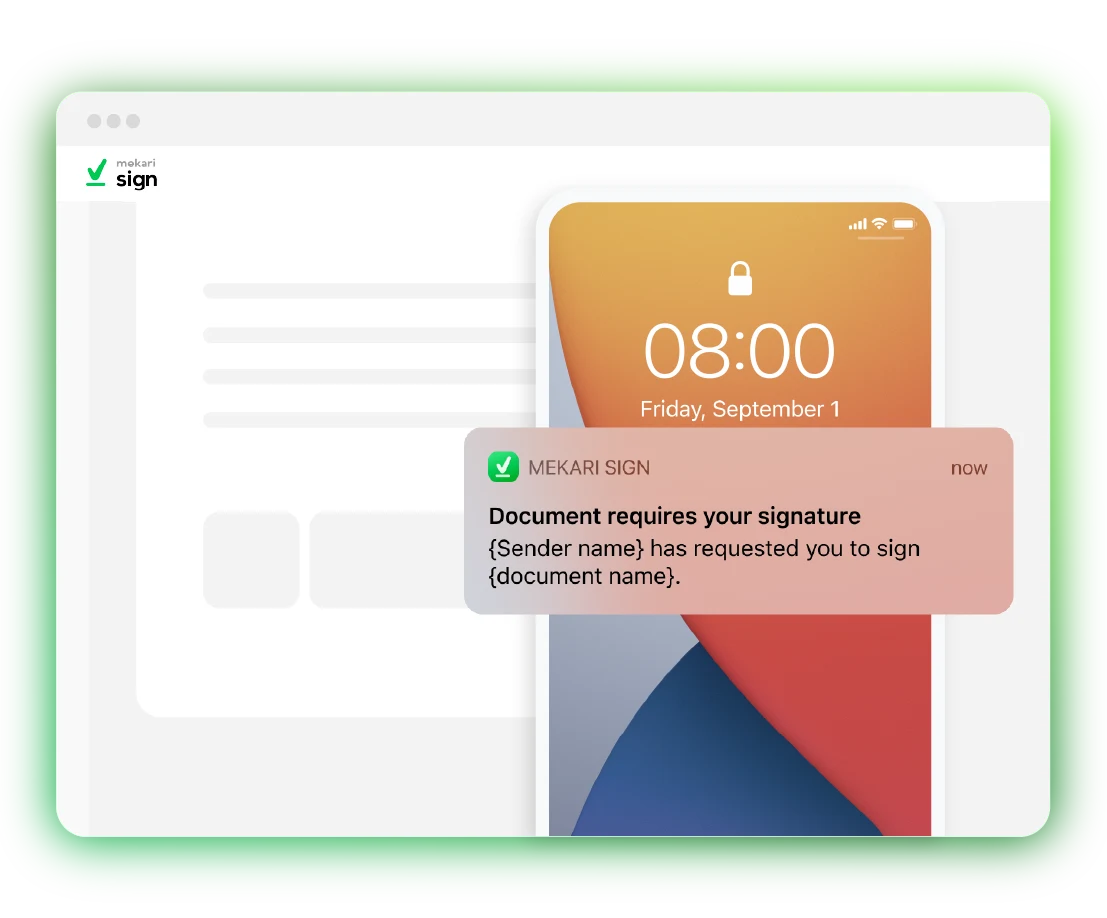












Instant distribution and effortless execution, manage the agreement journey directly on the channel your clients use most.


Input the details of the signer and other recipients.

Add the WhatsApp numbers of all relevant parties.

Place the signature fields and send them via WhatsApp.
Open the WhatsApp app and sign the document directly.
Mekari Sign complies with the legal requirements for secure digital signatures.




WhatsApp delivery allows you to send signature requests through the WhatsApp chat application. With real-time notifications, avoid delays in document signing.
WhatsApp eSignature is a document signing feature that delivers signature requests through the WhatsApp chat app, allowing signers to receive, review, and sign documents directly from WhatsApp without downloading a separate app or creating an account.
Unlike traditional eSignature that relies on email, WhatsApp eSignature reaches signers on the channel they already open every day, which drastically reduces the time between sending and signing.
Mekari Sign WhatsApp eSignature is backed by digital signature certificates from Indonesia’s PSrE and integration with Adobe Approved Trust List, so signatures remain legally valid regardless of delivery channel.
Both produce legally valid signed documents. The difference is in the document and electronic signature delivery.
WhatsApp eSignature is particularly effective in markets where email open rates are low or where recipients rely on WhatsApp as their primary communication channel, such as Indonesia and Southeast Asia.
Signed documents often stall not because signers refuse, but because they never see the email. WhatsApp eSignature solves three recurring problems:
Create and send eSignature via WhatsApp can be done by these simple steps:
Done! The document signing is completed.
Yes, once you click “Send” in the Mekari Sign app, the documents will be automatically sent to all parties. Signers will receive a WhatsApp message from the “Mekari Sign” account.
As long as you have a WhatsApp sending quota and the number entered is an active WhatsApp number, you can send the signature requests through WhatsApp.
The WhatsApp sending quota is the number of WhatsApp messages you have available to send requests to signers. Your signature request messages cannot be sent if you don’t have a quota.
You can top up for IDR 400,00 per message to obtain a WhatsApp sending quota. The quota will be deducted each time a signature request message is sent.
Mekari Sign is integrated with the WhatsApp API, where automatic message delivery via the WhatsApp API incurs a fee per message sent.
Get more work done without compromising accuracy & speed with the complete solution from Mekari, trusted by thousands of businesses.


 WhatsApp Sales


Our team will contact you soon.
Please wait and make sure your contact is active.
